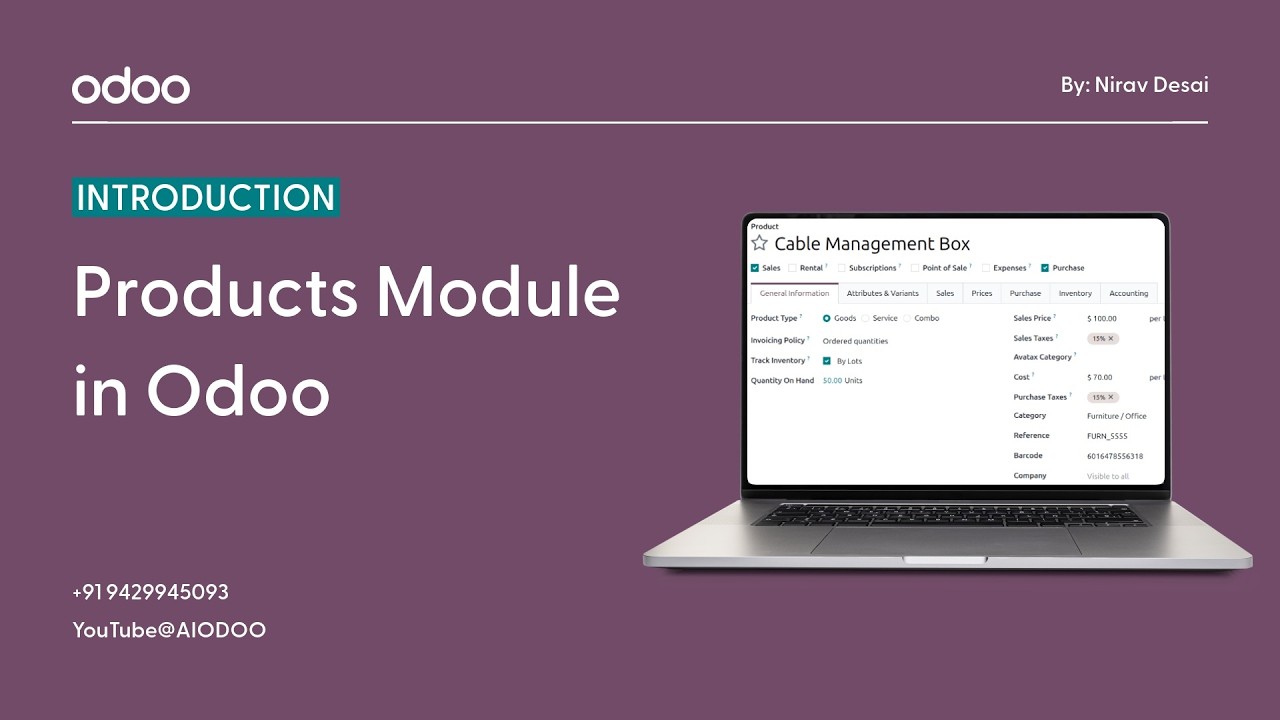
Products Module in Odoo | Complete Product Management Explained
Every business sells something. A product, a service, a subscription, a solution — whatever it is, it needs to be properly defined, organized, and managed before you can sell it, purchase it, track it, or report on it.
And yet, product management is one of those things that businesses consistently underestimate — until the problems start showing up. Wrong prices on quotations. Inventory numbers that don’t match reality. Sales teams are quoting products that aren’t even active anymore. Finance is receiving invoices with inconsistent tax configurations.
All of these problems trace back to the same root cause — a disorganized, inconsistent product database.
The Odoo Products Module is the clean, permanent fix to all of it. A centralized, structured, fully integrated product management system that connects everything your business does around the products you sell.
What Is the Odoo Products Module?
At its core, the Products Module is your business’s master product catalog — the single source of truth for every item, service, or consumable your company buys, sells, or uses.
But it’s far more than just a list of product names and prices. Every product record in Odoo is a rich, detailed profile that carries all the information your different business functions need to operate accurately and efficiently.
From a single product record, you can manage:
- Product Names and Descriptions — clear, consistent naming and detailed descriptions that appear on quotations, invoices, and purchase orders automatically
- Product Categories — organized groupings that make your catalog easy to navigate and report on
- Sales Prices — the price your customers see on quotations and invoices
- Purchase Prices — the cost price used when creating purchase orders with vendors
- Taxes — customer and vendor taxes are configured at the product level, so they apply automatically every time
- Product Types — whether the product is a physical item, a consumable, or a service — more on this below
- Inventory Details — stock levels, reorder rules, and warehouse information for products that require tracking
Set it up once, and this information flows correctly into every corner of your Odoo system — sales, purchasing, inventory, accounting — automatically and consistently.
Understanding Product Types in Odoo
One of the first things you’ll configure when creating a product in Odoo is its product type — and this decision matters more than it might seem at first glance.
Odoo supports three main product types, each designed for a different kind of business offering:
Storable Products: These are physical items that your business keeps in stock and needs to track carefully. When you sell a storable product, Odoo automatically reduces your inventory. When you purchase one, it increases your stock. At any given moment, you know exactly how many units you have, where they are, and when you need to reorder.
This product type is ideal for businesses selling physical goods — electronics, clothing, furniture, equipment, food products, and anything else that lives on a shelf or in a warehouse.
Consumable Products: Consumables are physical items, but unlike storable products, Odoo doesn’t track their inventory in real time. They’re treated as always available — useful for low-cost, high-turnover items like office supplies, packaging materials, or small components where precise stock tracking isn’t necessary or practical.
Services: Services are non-physical offerings — consulting, development work, support contracts, training sessions, maintenance agreements. They don’t have stock, don’t get delivered in a box, and don’t need inventory tracking. But they absolutely need to be properly set up as products so they can be quoted, invoiced, and reported on just like any physical item.
Understanding which type applies to each of your offerings is foundational to making Odoo’s inventory, sales, and purchasing workflows function correctly. Get this right from the start, and everything downstream works smoothly.
How to Create a Product in Odoo — Step by Step
Adding products to Odoo is a straightforward process, but taking the time to fill in each field properly pays dividends across your entire operation. Here’s exactly how it works:
Step 1 — Open the Products Module: You can access products through the Sales, Inventory, or Purchase modules — they all connect to the same central product database. Navigate to Products from any of these areas.
Step 2 — Click “Create”: A blank product form opens up, ready for you to fill in. This form is your product’s complete profile — everything Odoo needs to know about this item.
Step 3 — Enter the Product Name: Give your product a clear, consistent name — one that your sales team, purchasing team, and warehouse team will all recognize and understand. This name appears on quotations, purchase orders, invoices, and delivery notes, so clarity matters.
Step 4 — Configure the Pricing: Set your sales price — what customers will be charged. You can also set an internal cost price, which is used for margin calculations and purchasing. If you have multiple price lists for different customer segments or regions, Odoo’s pricing rules let you manage all of that from here.
Step 5 — Select the Product Type: Choose whether this is a Storable Product, Consumable, or Service. As covered above, this single choice determines how Odoo handles inventory, purchasing, and fulfillment for this product across the entire system.
Step 6 — Add Category and Taxes: Assign the product to a category — this helps with organization, filtering, and reporting. Then configure the appropriate taxes — both for sales (what tax you charge customers) and purchases (what tax your vendors charge you). Set these once and they apply automatically on every transaction.
Step 7 — Save the Product: Hit save and your product is now live in the system — ready to be added to quotations, sales orders, purchase orders, and inventory operations.
From this point forward, every time anyone in your business interacts with this product — whether they’re creating a quote, raising a purchase order, or checking stock levels — they’re working from the same accurate, consistent product record.
Why Proper Product Management Changes Everything
Let’s talk about what actually happens when your product data is clean, complete, and well-organized — because the impact reaches further than most businesses realize:
- Accurate Pricing Every Time — When prices are set correctly at the product level, every quotation and invoice that goes out carries the right numbers automatically. No manual checking, no pricing errors, no awkward conversations with customers about incorrect quotes.
- Better Inventory Control — For storable products, accurate product setup means accurate stock tracking. You always know what you have, what you’re running low on, and what needs to be reordered — before you run out.
- Faster Sales Process — When your sales team can search, find, and add a product to a quotation in seconds — with all the pricing, tax, and description information already there — the speed of your entire sales operation improves noticeably.
- Fewer Manual Mistakes — Every time someone has to manually type a price, calculate a tax, or look up a product description, there’s a risk of error. A well-configured product database eliminates those risks by making the right information automatic.
Organized Operations Across Departments — Sales, purchasing, inventory, and accounting all work from the same product records. When one department updates a product, every other department immediately benefits from that update. Consistency across the business becomes the default, not the exception.
Product Categories, Variants and Organization
As your business grows and your product catalog expands, organization becomes increasingly important. Odoo gives you the tools to stay organized no matter how large your catalog gets:
- Product Categories — Group products into logical categories that reflect how your business thinks about its offerings. Categories are used in reporting, inventory valuation, and filtering — making it easy to analyze performance by product group.
- Quick Search and Filtering — Find any product in seconds using Odoo’s search tools. Filter by category, product type, sales status, or any other attribute. Even with thousands of products, the right one is always within easy reach.
- Product Variants and Attributes — Selling a product that comes in multiple sizes, colors, or configurations? Odoo’s variants system lets you manage all of those variations under a single product record — keeping your catalog clean while giving customers and sales teams the flexibility they need.
- Scalable for Any Catalog Size — Whether you have 10 products or 10,000, Odoo’s product management system is built to scale. The structure you set up for your first products creates the foundation for everything that comes after.
How the Products Module Connects With the Rest of Odoo
This is where the Products Module truly earns its place as a foundational part of the Odoo system — its deep integration with every other module:
When a sales team creates a quotation, they’re pulling products directly from the Products Module — with correct pricing, descriptions, and taxes applied automatically.
When a purchasing team raises a purchase order, they’re using the same product records — with vendor prices and purchase taxes already configured.
When a warehouse team processes a delivery or receipt, they’re working with storable products whose inventory levels update automatically with every transaction.
When the accounting team reviews invoices and financial reports, the tax configurations and product categories set up in the Products Module feed directly into accurate financial data.
One well-maintained product database. Every department is working from the same consistent information. That’s the kind of operational harmony that transforms how a business runs.
Also Read : How to Create Quotations in Odoo | Custom Quotation Template Guide
The Bottom Line
The Products Module might not be the most glamorous feature in Odoo — but it is arguably one of the most important ones.
Before you can sell, before you can purchase, before you can track inventory or generate a single accurate invoice — you need your products properly set up. Everything else in Odoo depends on the quality of your product data.
Get it right, and the benefits ripple outward into every corner of your business. Faster sales, accurate inventory, consistent invoicing, reliable reporting — all of it starts here.
Whether you’re setting up Odoo for the first time with a handful of products or migrating a catalog of thousands, take the time to do this properly. It’s the foundation your entire ERP system is built on — and a strong foundation makes everything above it work better.
Your products are the heart of your business. Make sure Odoo knows them as well as you do.
Watch the full video for a practical step-by-step explanation: