
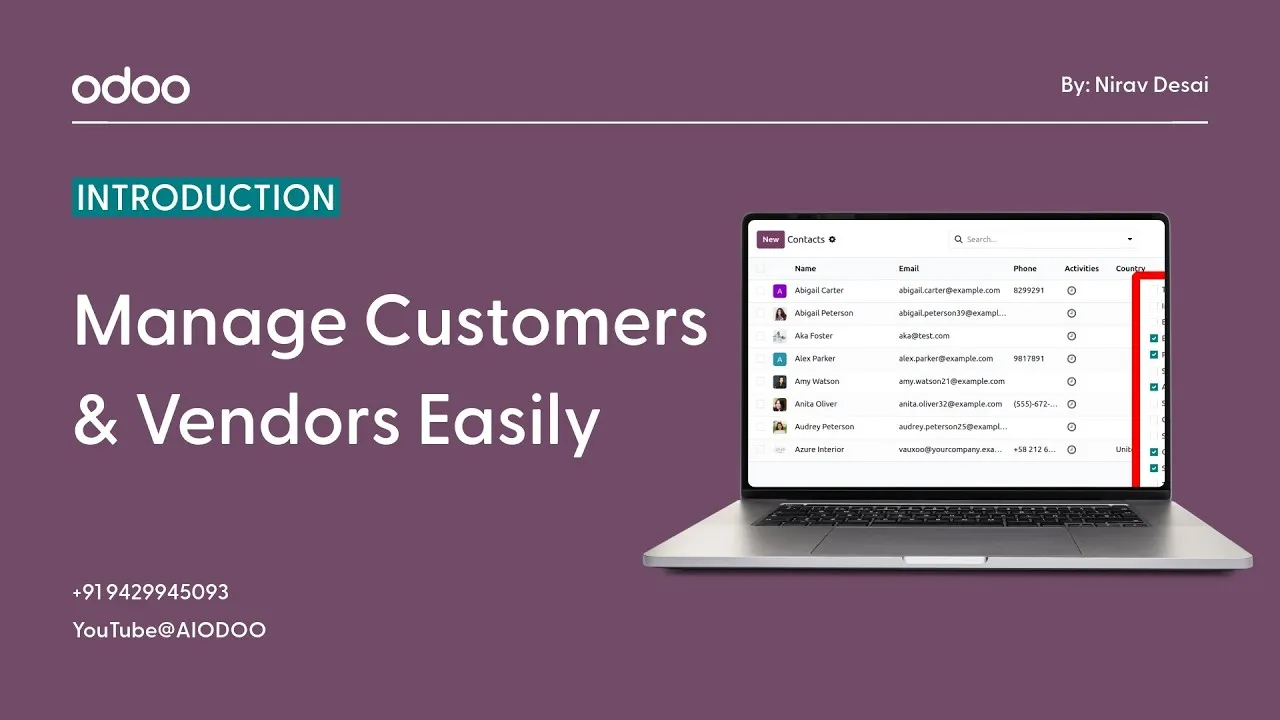
Here’s a situation that’s more common than most business owners like to admit.
A customer calls. You know you’ve spoken to them before, maybe even done business with them, but you can’t find their number saved properly, their email is buried somewhere in an old thread, and their billing address? That’s anyone’s guess.
It’s embarrassing. It’s inefficient. And more importantly, it quietly damages the professional image you’ve worked hard to build.
This is exactly the kind of problem that the Odoo Contacts Module is designed to eliminate, permanently.
What Is the Odoo Contacts Module?
At its core, the Contacts Module is your business’s central address book, but calling it just an address book would be a massive understatement.
Think of it as a fully organized, easily searchable, always-accessible database of every single person and company your business interacts with. Every customer, every vendor, every partner, every employee, all their details, communication history, and associated records stored in one clean, unified place.
You can create and manage records for:
-
Customers: the people and companies buying from you
-
Vendors: the suppliers and service providers you purchase from
-
Companies: parent organizations with multiple contacts underneath them
-
Employees: internal team members who interact with customers or vendors
-
Delivery and Billing Addresses: multiple addresses linked to a single contact for smooth order processing
No more scattered spreadsheets. No more digging through old emails. No more sticky notes with phone numbers that somehow always go missing. Everything lives in one place, and everyone on your team can access it instantly.
What Are the Real Benefits of Using the Contacts Module?
You might be thinking: I already have contacts saved on my phone and in my email. Why do I need a dedicated module for this?
Here’s why it matters more than you’d expect:
-
Everything in One System: Instead of having customer details in one place, vendor contacts in another, and billing addresses somewhere else entirely, Odoo brings all of it under one roof. One search, one click, everything you need.
-
Find Anyone in Seconds: Whether you manage 50 contacts or 50,000, Odoo’s search and filter tools mean you’re never more than a few keystrokes away from the record you need. No more endless scrolling or hoping you remember which folder you saved something in.
-
Manage Vendor Information Effortlessly: Supplier details, payment terms, purchase history, all linked directly to each vendor’s contact record so your procurement process stays smooth and organized.
-
Improve Communication Records: Every interaction with a contact can be logged and tracked. Emails, calls, meetings, notes, all attached to the right record so anyone on your team can pick up a conversation with full context.
-
Save Time on Sales and Purchases: When all the information is already there, accurate, up to date, and easy to find, your sales and purchasing processes become noticeably faster. Less time hunting for details means more time actually doing business.
How to Add a New Contact in Odoo: Step by Step
Adding a contact in Odoo is genuinely one of the simplest things you’ll do in the system. Here’s exactly how it works:
Step 1: Open the Contacts Module From your Odoo dashboard, find and click on the Contacts app. You’ll land on your contacts list, or an empty one if you’re just getting started.
Step 2: Click “Create” Hit the Create button in the top left corner to open a fresh contact form.
Step 3: Enter the Basic Details Fill in the essentials, name, phone number, and email address. These three alone make a contact useful and searchable.
Step 4: Add Company and Address Link the contact to a company if applicable, and add their full address, whether that’s a billing address, delivery address, or both. Odoo lets you store multiple addresses under a single contact, which is incredibly handy for businesses with multiple locations.
Step 5: Categorize as Customer or Vendor Here’s a step many beginners miss, make sure you tag the contact correctly. Is this a customer, a vendor, or both? Odoo allows a contact to be classified as either or both, and this categorization determines how they appear in your Sales and Purchase workflows later on.
Step 6: Save the Record Hit save and you’re done. Your new contact is now part of your organized, searchable database, ready to be linked to sales orders, purchase orders, invoices, and more.
Simple, clean, and done in under two minutes.
Searching, Filtering, and Updating Contacts
As your business grows, so does your contact list. And that’s where Odoo’s search and filter tools become genuinely powerful.
Here’s what you can do:
-
Search Instantly: Type a name, company, email, or phone number and Odoo pulls up the right record immediately. No delays, no confusion.
-
Filter by Category or Company: Want to see only vendors? Only customers from a specific city? Only contacts linked to a particular company? Filters make this effortless.
-
Sort and Organize Records: Arrange contacts alphabetically, by company, by recent activity, or however makes most sense for your workflow.
-
Update Existing Records: Business details change, people move, phone numbers change, companies merge. Keeping records updated in Odoo takes seconds, and the changes reflect everywhere that contact is used across the system.
For a growing business handling dozens or hundreds of new contacts every month, these tools aren’t just convenient; they’re essential.
Why a Proper Contact System Changes Everything
Let’s take a moment to think about what happens when you don’t have a proper contact management system.
Customer data lives in different places across your team. One person has a vendor’s number saved in their personal phone. Another has billing details in an email from six months ago. Nobody really knows the complete picture of any relationship.
Deals are delayed because the right information isn’t available at the right time. Customers feel like they’re talking to strangers every time they reach out. Vendors get mixed up. Invoices go to wrong addresses. And your team spends more time searching for information than actually using it.
It’s a quiet, slow drain on your business’s efficiency and professionalism, and most businesses don’t even realize how bad it is until they fix it.
Odoo’s Contacts Module fixes it. One system, one source of truth, every relationship properly recorded and instantly accessible. The improvement in day-to-day operations is immediate and impossible to ignore.
Also Read : AI Features in Odoo: The Future of Smart ERP Systems.
The Bottom Line
The Contacts Module might not be the flashiest feature in Odoo, but it is absolutely one of the most foundational ones.
Before you can manage sales, raise purchase orders, send invoices, or build customer relationships, you need a clean, organized, reliable database of the people and companies you’re doing business with. That’s exactly what this module gives you.
Whether you’re a solo entrepreneur managing a handful of key clients or a growing business dealing with thousands of customers and vendors, having the right contact management system in place is not optional. It’s the foundation everything else is built on.
Get this right from the beginning, and you’ll be amazed at how much smoother every other part of your Odoo experience becomes. 📋✅
Watch the full video for a live practical demo:
My Linkedin Profile:https://www.linkedin.com/in/niravpdesai/
Odoo Linkedin Page Link: Strats360 | Official Odoo Partner | LinkedIn