
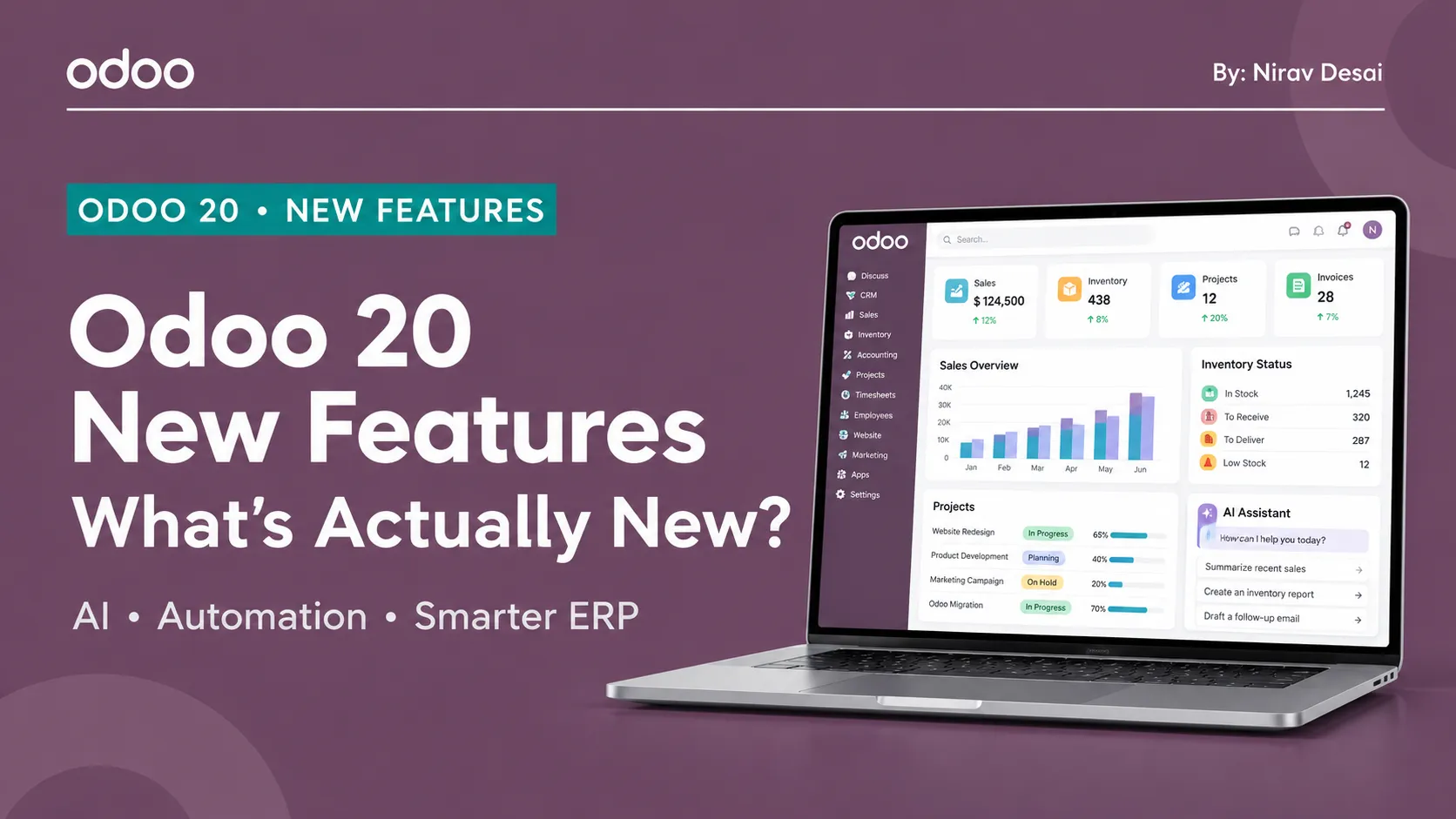
So, what’s new in Odoo 20? The short version: this is a bigger jump than the usual yearly update. Released in September 2026, Odoo 20 puts a strong emphasis on AI that can take action inside business processes instead of simply answering questions.
AI isn’t the whole story, though. Accounting, inventory, point of sale, marketing, payroll, projects, eCommerce, and the developer framework have also received attention.
In this guide, we’ll walk through the major changes in plain language and explain what they could mean for the people who use Odoo ERP every day.
Odoo 20 at a Glance
Here are some of the key areas updated in Odoo 20:
- AI: Agents that take actions and an MCP server for connecting external AI tools.
- Accounting: An AI assistant, bill-line predictions, and bill payments.
- Offline mode: Continue working without an internet connection and sync later.
- Inventory: Mini-stock management, new labels, CMR documents, and clearer valuation visibility.
- Point of Sale: Order presets, multiple printers, and service fees.
- Marketing: Drag-and-drop customer journeys.
- Projects: Profitability dashboards and a Timesheet Assistant.
- HR and Payroll: A redesigned payrun flow and salary simulation.
- Website: Built-in SEO improvements.
- Developers: Security and framework changes that need testing.
1. AI Agents That Follow Plain-Language Instructions
The headline feature is AI automation. You describe what should happen, when it should happen, and what the agent is expected to do. Agents can also be triggered through automated or scheduled actions.
Imagine a contract being signed and a project automatically being created and assigned to the right manager. Nobody has to remember to perform the next step manually. That’s the type of repetitive, easy-to-miss task AI agents are designed to handle. (For background on how AI already works in earlier versions, see our guide to AI features in Odoo.)
There is an important cost consideration: Odoo’s release notes say AI features use credits purchased through In-App Purchases (IAP). If you plan to use AI for high-volume workflows, include those credits in your budget from the start.
2. MCP: Let Other AI Tools Connect to Odoo
MCP stands for Model Context Protocol. It provides a standard way for an external AI tool to connect to your Odoo database and use approved tools or actions.
The connection uses an API key. The AI tool should only be able to access the actions you choose to expose; it does not automatically receive unrestricted access to everything in your system.
Before enabling MCP, decide:
- What data does the AI tool actually need?
- Which records or actions is it allowed to change?
- Which actions require human approval?
- What activity needs to be logged and reviewed?
Connecting a tool may be straightforward. Setting sensible access boundaries and oversight is the more important part of the implementation.
3. Accounting: Quicker Answers and Less Manual Entry
Odoo 20 introduces several changes intended to help finance teams work more efficiently.
- Accounting AI assistant: Ask questions about figures already in Odoo, such as outstanding receivables or cash flow, and use the assistant to investigate reconciliation issues.
- Bill-line prediction: Based on previous bills and a line description, Odoo can suggest the product, account, tax, and analytic distribution for a vendor bill.
- Bill payments inside Odoo: Finance teams can handle bill payments without constantly switching between the ERP, payment files, and a bank portal.
- Global discounts in e-invoices: XML invoice generation supports invoices with global discounts and loyalty lines.
AI still depends on the quality of the data it uses. It can make questions and repetitive tasks quicker, but it will not automatically fix inaccurate or poorly maintained accounting records.
The release notes also list localized updates, including new balance sheet and profit-and-loss reports for Mexico (NIF B-6 and B-3) and an EPF Summary report for Malaysian payroll.
4. Offline Mode: Keep Working Without Internet
Offline mode may be particularly useful for teams working in warehouses, shops, or field locations where connectivity is unreliable.
For supported users, Odoo can allow records to be browsed, searched, created, edited, archived, unarchived, and deleted while offline. Changes are placed in a synchronization queue and sent through when the device reconnects.
If your implementation uses custom modules, test them carefully in offline conditions before relying on them. Conflicting edits and relationships between records may behave differently when changes are synchronized.
5. Inventory: Better Visibility and Stock Planning
Odoo 20 brings a range of inventory improvements, including:
- Mini-stock management and new label designs.
- Built-in CMR documents.
- Improved allocation reports.
- Smoother intercompany and interbranch flows.
- Better visibility when inventory movements and invoices do not match.
- Stock-level purchasing recommendations based on recent demand.
The accounting visibility is especially useful. For example, a business can more easily identify goods that have been delivered but not invoiced, or goods received while the vendor bill is still pending. Making these gaps easier to spot can simplify month-end reconciliation.
6. Manufacturing: More Flexible Work-Order Planning
Manufacturing planners get Kanban and Gantt views of work orders, drag-and-drop rescheduling, color-coded statuses, and views organized by employee.
One detail is worth keeping in mind: many of these manufacturing capabilities had already arrived in Odoo Online through the 19.2 update. If you are already using a recent Odoo Online build, they may not feel entirely new.
7. Point of Sale: Smoother Checkout and Hardware Setup
The point-of-sale changes focus on reducing friction for staff and customers.
- Order presets for dine-in, takeaway, and delivery can automatically switch fiscal positions and price lists.
- Checkout supports multiple currencies.
- Businesses can configure service fees, multiple printers per POS, and preparation tickets by product.
- Self-ordering, product combos, hardware setup, and floor plans also receive improvements.
Odoo is also introducing OBox, a next-generation hardware connectivity approach intended to connect printers, scanners, scales, and payment devices through a more centralized setup. The goal is to make POS hardware installation and management less complicated.
8. Marketing Automation That Reacts to Customer Behavior
Marketing Automation adds a drag-and-drop customer journey builder. Campaigns can start from events such as a page visit or list subscription, as well as dates, anniversaries, webhooks, or manual triggers.
Email Marketing also gains conditional content for recipients, dynamic mailing lists, a template library, and click tracking.
For example, a visitor could browse a website, submit a form, receive a lead score, and then get a follow-up tailored to their level of engagement. This makes it easier to build relevant customer journeys instead of sending the same message to everyone.
9. Projects, Timesheets, and Service Work
Project and service teams receive several useful updates.
Project dashboard and profitability
A new dashboard provides profitability reporting and custom KPIs built with Odoo Spreadsheets. Profit figures can draw on timesheets, expenses, purchases, and vendor bills, giving managers a broader view of project performance.
Timesheet Assistant
The AI-powered Timesheet Assistant suggests work that may belong on a timesheet. Users review the suggestions before anything is saved. The goal is to help employees remember work they actually performed—not to invent hours.
Field Service, Helpdesk, and Rental
These areas receive improvements to technician planning, SLA handling, and automation. Rental also gains an Advanced Seasonal Pricelist.
10. HR and Payroll
Payroll gets a redesigned dashboard and payrun workflow, salary simulation, more flexible working schedules, and configurable payslip delivery.
Attendance, Time Off, and Payroll also work more closely together. In practice, these changes are intended to reduce the manual effort involved in assembling employee information and processing payroll each month.
11. Website, SEO, and eCommerce
Odoo 20 includes practical website and search-engine optimization improvements:
- Structured data: Pages include structured data by default to help search engines understand content and support eligible rich results.
- Cleaner sitemaps: Sitemaps include only indexable URLs returning 2XX responses.
- Adaptive images:
srcsethelps browsers serve appropriately sized images for different screens, supporting mobile performance. - AI SEO suggestions: AI can suggest SEO improvements for individual pages.
On the eCommerce side, customers can initiate returns from the portal. Products can be published or unpublished automatically based on stock, and each pricelist can define whether prices are displayed with or without tax.
These features can improve the day-to-day management of an online store, but results still depend on accurate product data, appropriate configuration, and ongoing SEO work.
12. Smaller Improvements Worth Knowing
Other changes highlighted in the release include:
- Updated dialogs and new KPIs in digest emails.
- A Print Preview window for spreadsheets and dashboards.
- Push notifications using Odoo’s own tools instead of Firebase.
- Construction Developer renamed to Property Developer, built on standard Manufacturing and Inventory features.
These changes may be less prominent than AI agents or offline mode, but they can still matter depending on how your team uses Odoo.
13. Developer Notes: Test Carefully Before Upgrading
Two areas deserve special attention during an upgrade: access rights and accounting structure.
Review security and access rights
Parts of the access-control architecture have changed. Test the permissions for every important role, including salespeople, accountants, warehouse operators, HR managers, portal users, and multi-company users.
Check both what each role can access and what it must not be able to see. Permission regressions can be easy to miss if testing focuses only on the happy path.
Validate accounting reports
Account hierarchy and related settings have evolved. After migration, compare reports against the previous version line by line and investigate differences before going live.
Audit customizations and integrations
Developers should review Python models, XML views, OWL and JavaScript code, controllers, ORM usage, and third-party modules. Do not assume that every custom module will continue working without changes.
A practical upgrade process is:
- List your custom modules and integrations.
- Copy the database to a staging server.
- Test realistic edge cases, including partial deliveries, returns, and incomplete customer records.
- Verify permissions, accounting reports, integrations, and custom workflows.
- Train users and choose a go-live date only after testing is complete.
Some features may have reached Odoo Online earlier, so the size of the change will depend on the version you are upgrading from and your current hosting setup.
A Fresh Look for Your Backend: BlueNova Backend Theme
New features are useful, but teams also spend much of their day working in the backend. If the default interface feels plain, the BlueNova Backend Theme by Strats360 Technolabs (view on the Odoo Apps Store) gives Odoo 20 Community a modern visual refresh without changing how the business workflows operate.
The theme includes a persistent application sidebar that keeps apps one click away and a dark mode that each user can switch on independently. A KPI dashboard appears after login with trend cards and quick actions, showing only the apps the current user is allowed to access. A floating chat bubble also lets users reply to Discuss conversations without leaving the current screen.
Branding options allow administrators to choose colors in Settings and apply them across the interface without developer involvement. Login pages can also use a company logo and background image.
The theme is visual only and does not alter business data. If it is uninstalled, the default interface returns.
Frequently Asked Questions
What are the main new features in Odoo 20?
Major updates include AI agents and automation, MCP connectivity, Accounting AI, offline mode, inventory and POS improvements, visual marketing journeys, a Timesheet Assistant, redesigned payroll, and website SEO enhancements.
When was Odoo 20 released?
Odoo 20 was released in September 2026.
Do Odoo 20 AI features cost extra?
According to Odoo’s release notes, AI features use credits purchased through In-App Purchases (IAP). Plan for this cost if you expect to run AI workflows at high volume.
What is MCP in Odoo 20?
MCP, or Model Context Protocol, provides a standard way for external AI tools to connect to Odoo and use the tools or actions an administrator approves.
Does Odoo 20 work offline?
Supported users can work with records offline, with changes synchronized after the device reconnects. Custom modules should be tested for offline behavior and synchronization conflicts.
What’s new in Odoo 20 accounting?
Updates include an AI assistant for financial questions, bill-line predictions, bill payments from within Odoo, clearer visibility between inventory and accounting, and localized reports.
What’s new in Odoo 20 POS?
Point of Sale gains order presets, multiple printers, service fees, multi-currency checkout, and preparation tickets per product, along with improvements to self-ordering, combos, hardware setup, and floor plans.
Is Odoo 20 good for SEO?
The release includes default structured data, cleaner sitemaps, adaptive images, and AI suggestions for page-level SEO. These tools can help, but effective SEO still depends on good content and configuration.
Will my custom modules work after the upgrade?
Not necessarily. Security, ORM, and framework changes mean custom modules and third-party integrations should be reviewed and tested on a staging environment before upgrading production.
Should I upgrade to Odoo 20 right now?
Upgrade when the new features solve a real business need and your customizations, integrations, and users are ready. Test on staging first, compare important reports, and plan the go-live carefully.
Final Thoughts
Odoo 20 brings together AI-driven automation, offline capabilities, and improvements across finance, inventory, sales, marketing, projects, HR, and eCommerce. The most valuable changes will depend on the work your team does and the Odoo version you currently use.
Before upgrading, identify the features that solve real problems, check any additional AI credit costs, and test custom modules and permissions in staging. A planned upgrade is much safer than switching versions just because a new release is available. If you would like help planning an Odoo 20 migration, you can schedule a consultation with our team.
For teams using Odoo 20 Community, the BlueNova Backend Theme by Strats360 Technolabs is also worth exploring if you want a more modern, customizable backend interface.